1. The typical value of ΔE<1 for color accuracy in the factory production of MIRA Series is obtained from the XGIMI Optical Laboratory. Please refer to your actual experience for an accurate assessment.
2. Multiple game picture modes refer to Standard Mode, FPS Mode, RTS Mode, RPG Mode, and Sports Mode. To access these modes, Picture Mode must first be set to Game.
3. Due to the complexity of the environment, Uninterrupted Auto Keystone Correction may fail, and manual correction may be required. Under normal circumstances, UST projectors do not require side projection. For a better viewing experience, it is recommended that the tilt angle of the projector body does not exceed ± 9 degrees.
4. Scan a QR code to start Wall Flatness Adaptaion. The projection wall should be a regular painted surface, and it does not support wallpaper, dirt, or walls with other decorations. This function needs to be enabled in the system settings to take effect.
5. The Wall Color Adaptaion feature needs to be enabled in the system settings to take effect. Once activated, it can calibrate the picture based on wall colors with a color temperature ranging from 3000K to 15000K. However, the calibration effect may vary depending on the wall color. For optimal results, we recommend using it in dimly lit environments.
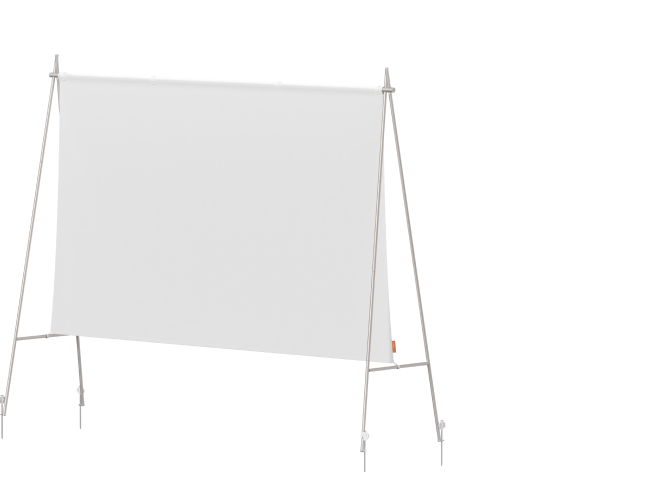
6. The Screen Alignment Assist feature needs to be enabled in the system settings to take effect. Move the projector so that the four sides of the projected image exceed the screen edge, and the MIRA Series will automatically adjust for perfect fit. For optimal picture ratio and coverage, use the official XGIMI ALR screen for better recognition (avoid screens with white frames). During alignment, turn off overhead lights to prevent interference with the alignment process.
7. Intelligent Eye Protection function can be enabled or disabled in the system settings.
8. MIRA Series exclusive wallpapers are continuously expanded via OTA updates, growing into a library of over 100 designs.
9. Brightness (light output) will vary depending on usage conditions. White light output is measured according to ISO 21118. The nominal value represents the average value of mass-produced units and is tested under ideal laboratory conditions in Performance Mode/High Power Mode. In Performance Mode, the highest brightness is achieved, which may result in some color differences compared to the default viewing mode. Additionally, the fan speed may increase, potentially causing noise. This is normal. For regular viewing, it is recommended to use other brightness modes.
10. Based on the data from XGIMI Laboratory tests, this product's color gamut area ratio is 110% under the BT.2020 standard.
11. The actual storage capacity is subject to change based on various factors, such as system usage, software version, and settings used.
12. Wi-Fi 6 indicates the version of the wireless network protocol supported by the device, and it can be used with wireless routers and other equipment that support the corresponding protocol version. Network speed is influenced by various factors; please refer to actual conditions for precise performance.
13. Measured under an ambient temperature of 25°C in Low Noise Mode, with a 1-meter distance from the machine. Results may vary depending on testing environments, conditions, and the product being evaluated. Data is based on tests conducted by XGIMI laboratories. Low Noise Mode can be enabled via All Settings > System.
14. The actual size may vary based on configuration, manufacturing, and testing method.
15. The actual weight may vary based on configuration, manufacturing process, and testing method.
* Actual product features and specifications (including appearance, color, and size) and actual display aspects (including backgrounds, interface, and icons) may vary by country. Please consult the point of sale for further information.
* All performance data in the preceding pages are theoretical values obtained by XGIMI internal laboratories through tests conducted under particular conditions. Refer to the aforementioned product details for more information on the specific testing conditions. Actual performance may vary based on individual product configurations, software versions, application conditions, and environmental factors. All data is subject to actual usage.
* XGIMI makes every effort at the time of publication to ensure the accuracy of the product information it provides. Due to subsequent changes involving product batches, production, and supply factors, it may be necessary for XGIMI to make changes and adjustments to text and images so that they match the performance, specifications, indexes, and components of the actual product. Product information is subject to such changes and adjustments without notice.
* Operating temperature: 32°F to 104°F.
* All parameters listed on this page are measured in an XGIMI internal test environment for mass production. User experiences may vary in different settings, usage conditions, software versions, etc. Please check the official XGIMI website for detailed test standards and data.
* The product includes a printed manual. However, the electronic manual will be updated on the XGIMI website. If there is any discrepancy or conflict between the printed and the electronic manual, please refer to the latest electronic manual on the official website.
* We advocate for environmental sustainability and paper conservation. For instructions in various languages, please scan the QR code or download the electronic version. If you have any questions during use, please contact us via service-uk@xgimi.com.
* Legal Statement: Complies with The UK Product Security and Telecommunications Infrastructure (Product Security) requirements. XGIMI security updates provided up until 30 September 2027.